Dashboard · Operate
My schedule
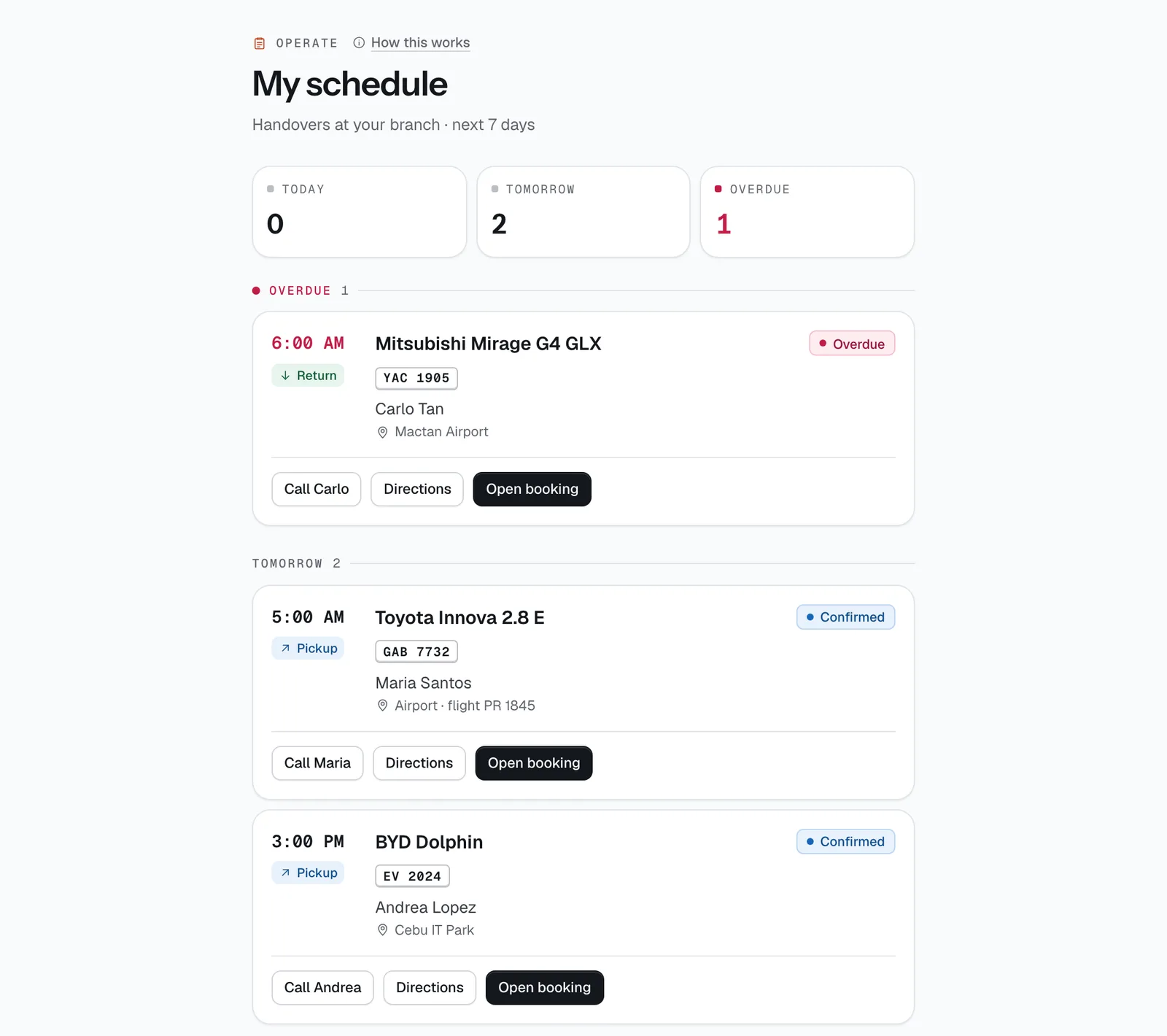
The phone screen for field staff and drivers: every pickup and return you need to handle in the next 7 days, grouped by day, with one tap to call the renter or get directions.
- Where
- Operate → My schedule
- Who can use it
- Field staff and drivers (it is where they land after signing in). Owners and managers can open it too. Front desk use Today and Bookings instead.
- Plans
- Every plan. Field staff and drivers use a field licence — see Team & licences.
- Checked
- Sep 25, 2026
What you can do
- See your handovers grouped under Overdue, Today, Tomorrow and then by date, with a count for each at the top.
- Tap Call (with the renter’s first name) to phone them straight from the card.
- Tap Directions to open Google Maps to the delivery address or your branch.
- Tap Open booking to start the pickup or return photo check.
- Follow the yellow banner to Turnaround when cleaning or refuelling tasks are assigned to you.
How it works
- Drivers see the with-driver bookings they are assigned to. Field staff see every booking at their branch (or at all branches if they have none set), plus any they are driving.
- A booking shows as a Pickup at its start time until the car goes out, then as a Return at its end time. Overdue returns stay at the top in red until they are back.
- Each card says where the handover happens: the branch name, the delivery address, or Airport · flight with the flight number.
- Nothing in the next 7 days? The page says Clear week.
Still not sure how it works?
Ask a person, in Filipino or English — Mon–Sat, 8:00–20:00 PHT.