Dashboard · Bookings
Turnaround
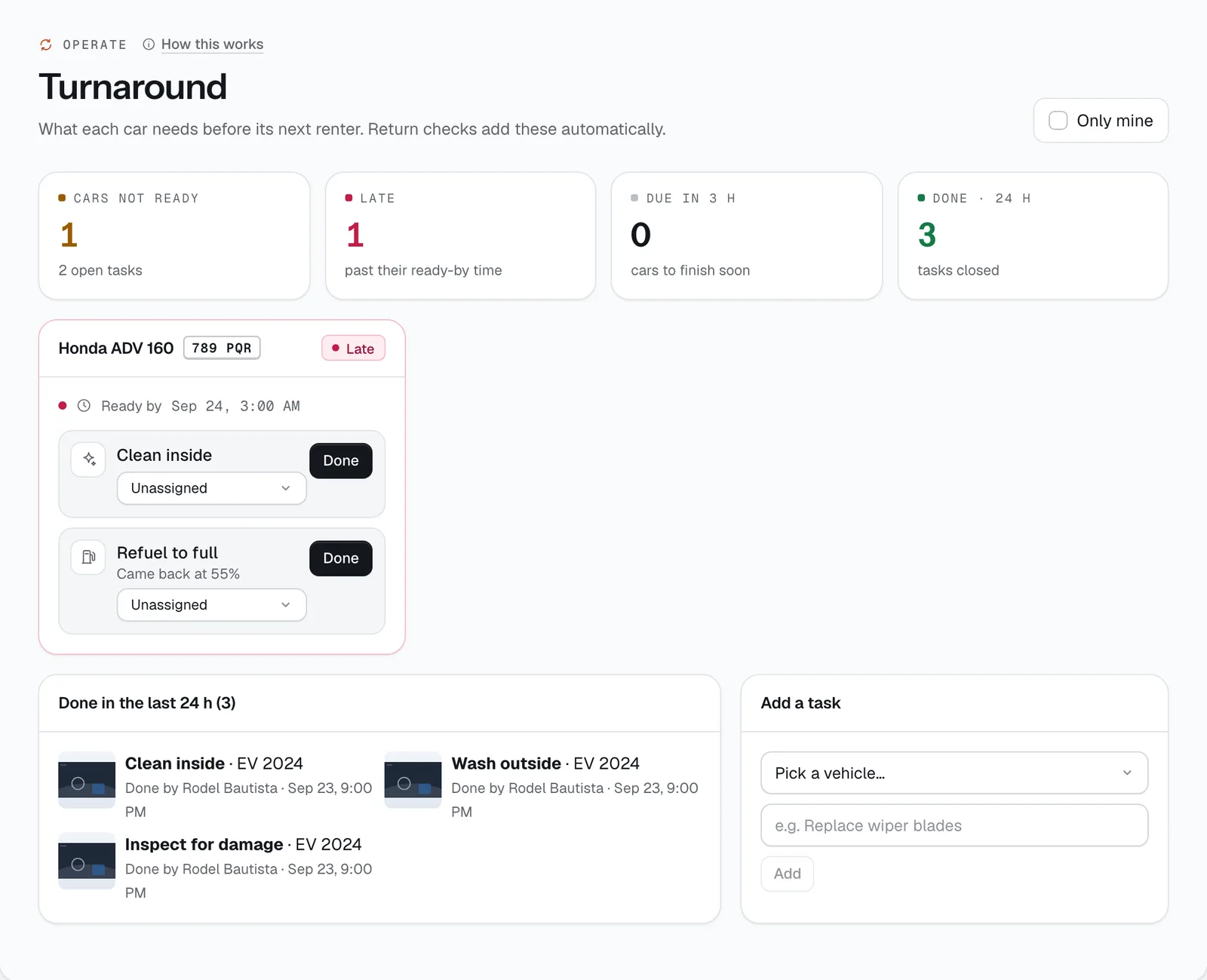
What each car needs between one renter and the next — cleaning, a wash, fuel, a check for damage, add-ons to prepare — with the time it has to be ready by.
- Where
- Bookings → Turnaround
- Who can use it
- Owners, managers, front desk, field staff and drivers can close tasks. Field staff see their own tasks and their branch’s cars; drivers only their own tasks and their jobs’. Assigning tasks and adding new ones is for owners, managers and front desk.
- Plans
- Every plan.
- Checked
- Sep 26, 2026
What you can do
- See every car that isn’t ready yet, with its tasks and the next pickup time (or a Ready by time).
- Assign a task to your team from its dropdown (starts as Unassigned), and switch the board between Mine, Everyone and Late.
- Close a task with Done: add a photo, a note and, if you paid for something, the cost.
- Skip a task with Skip this (say why below).
- Add your own job with Add a task in the page head, which opens a small form (for example
Replace wiper blades
). - Each view tab shows its own count, and a Done in the last 24 h section at the bottom of the board reassures you the work landed. The board scrolls inside its card.
- Set up repeat tasks with their own steps under Templates & rules (owners and managers). Tasks can be handed out in turn automatically, and a late one is raised with managers (Managers told).
How it works
- Tasks are made for you when a return check is submitted: Clean inside every time; Wash outside for cars; Refuel to full if it came back below full, or Charge to 80%+ for an electric vehicle below 80%; Inspect for damage if damage was ticked or the AI spot-check flagged a photo; and Prepare add-ons if the next renter booked any.
- They’re due by the next pickup of that car. If nothing is booked, they’re due after your cleaning buffer (3 hours by default). Tasks you add yourself are due 4 hours from when you add them.
- Each car shows Late (past its ready-by time), Soon (within 3 hours) or Not ready.
- A photo is required to close cleaning, washing, refuelling and charging tasks, so the next handover has proof. A skip needs a reason.
- A cost you enter goes straight into Expenses for that car (cleaning, fuel or repair).
- Two hours before a pickup, you get an alert if that car still has tasks open. The car also shows Not ready on Home and in the pickup check — but you can still hand it over.
- Tasks closed in the last 24 hours are listed at the bottom with their photo, who did it and the cost.
Still not sure how it works?
Ask a person, in Filipino or English — Mon–Sat, 8:00–20:00 PHT.