Handover check
The guided photo check you do on your phone at every pickup and return. It records the car’s condition with timestamped photos, checks the renter is allowed to drive away, and at return works out any fuel, mileage, late or toll charges for you.
- Where
- Bookings → a booking → Start pickup / Start return
- Who can use it
- Anyone with handover permission: owners, managers and front desk for any booking; field staff and drivers for bookings at their branch or that they are driving. Recording cash or GCash at the counter is part of the check. Manager approval as a safeguard is for owners and managers only.
- Plans
- Every plan. Each AI spot-check uses one AI credit: every plan includes some each month, and more come in packs of 50 for ₱399.
- Checked
- Sep 25, 2026
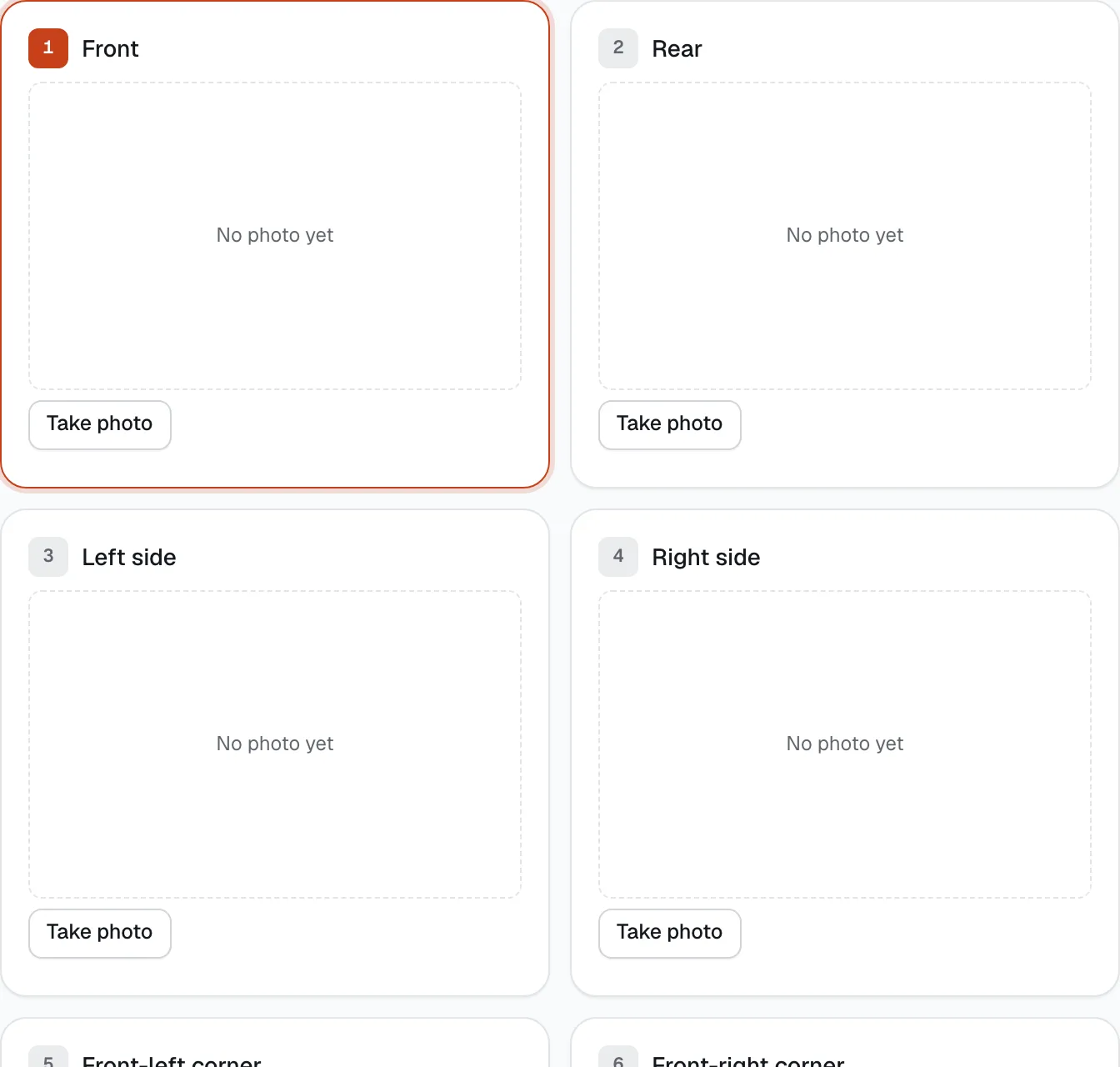
- Next photo to take
- Take photo
What you can do
- Take the guided photos — 10 angles for a car, 5 for a motorcycle, 5 when your own driver takes the car out — and a walkaround video if you use them.
- With-driver bookings: the client is a passenger, so there’s no licence check or signature — assign a driver first, and the trip starts when you submit the pickup.
- Record fuel or charge and the odometer, or tap Read from dashboard photo and confirm the reading.
- Note the Autosweep and Easytrip RFID balances on cars, and count the add-ons handed over or returned.
- Go through Before handing over: licence, identity, balance, signed agreement, turnaround tasks and the risk safeguard.
- Collect a balance at the counter with Cash, GCash, Card or a QR Ph code, and let the renter sign on your device.
- Keep working with no signal: tick offline mode and the photos upload later with their real capture time.
- At return, flag possible damage, run the AI spot-check against the pickup photos, and see the charges it will propose.
- Tap Submit pickup or Submit return to lock the evidence.
How it works
- Starting a check. Open the booking and tap Start pickup (confirmed bookings) or Start return (on rent or overdue). Drivers doing a delivery start it from Delivery & collection. If you leave, the check waits for you: the booking says Continue pickup check.
- What’s left. The bar at the bottom lists everything still needed — for example Still needed: 3 photos · identity check · signed agreement — and the submit button unlocks when the list is empty.
- Locked means locked. After you submit, photos and readings can’t be changed by anyone. That is what makes them useful in a dispute.
- Every photo keeps the time it was taken. A photo whose time is more than 10 minutes off from the real time is marked Clock mismatch.
Guided photos
The check shows one card per angle, numbered, with the next one to take highlighted. Tap Take photo (it opens the camera) and Retake if needed. Each card shows Saved, or Queued while offline.
- Car (10): Front, Rear, Left side, Right side, Front-left corner, Front-right corner, Rear-left corner, Rear-right corner, Interior, Dashboard (fuel + odometer).
- Motorcycle (5): Front, Rear, Left side, Right side, Dashboard (fuel + odometer).
Use the same angles at pickup and return, so the two sets line up on the booking page and in the claim pack.
Walkaround video
One slow lap around the vehicle, starting at the front with the camera at bumper height. It catches what photos miss, like a scuffed bumper edge or the wheels. Tap Record walkaround.
- At least 30 seconds for a car, 15 for a motorcycle; at most 5 minutes and 250 MB (record at 720p).
- On a car, a video makes the four corner photos optional. The straight-on photos, interior and dashboard are still needed. A video with a clock mismatch doesn’t replace them.
- On a return, CeeRent looks through the video for possible marks. If it finds one, the return is kept open for your review.
- Record again deletes the saved video so you can redo it — only before you submit.
Choose whether videos are Off, Optional (replaces corner photos on cars) or Required under Settings → Policies → Walkaround video at handover. Optional is the default.
Fuel, odometer, RFID and add-ons
- Fuel level (or Charge level for electric vehicles) is a slider in 5% steps. Odometer (km) starts at the last known reading.
- After the dashboard photo, Read from dashboard photo reads fuel and odometer from it and shows how sure it is. Tap Confirm to use the reading, or type your own.
- On cars, enter the Autosweep RFID balance (₱) and Easytrip RFID balance (₱). If the balances are lower at return, the difference is proposed as a toll charge.
- If the renter booked add-ons, set how many went out under Add-ons handed over at pickup, and how many came back under Add-ons returned at return. Anything missing is proposed as a charge.
- Use Notes for anything else worth recording.
Before handing over (pickup only)
Each line turns green when it’s done. The pickup can’t be submitted until all of these are:
- Licence & selfie approved — if not, tap Review to open the customer and approve it.
- Licence codes … cover a car (or motorcycle) — code B, B1 or B2 for cars, code A for motorcycles.
- The person in front of me matches the verified customer — tick it after comparing their face with the selfie shown.
- Paid in full — if there’s a Balance due, tap Record paid by Cash, GCash or Card, or QR Ph to show a code the renter scans with any bank or e-wallet app. For long-term rentals only the current period must be paid; company and Klook bookings are billed separately.
- Rental agreement signed on the customer’s phone — or open Customer signs on this device, let them read it and sign in the box.
- For high-risk bookings, High-risk booking — one extra safeguard needed: record a second ID, an extra deposit or a manager’s approval right there.
- The photos, and the walkaround video if you made it required.
A Car not fully turned around line warns you if cleaning or refuelling tasks are still open. It is a warning, not a block — you decide.
The last line tells you what happens to the deposit: with Card or Maya it is held on the renter’s card or wallet when you submit (not taken). If the rental is longer than the card hold can last (7 days), it is taken instead and refunded after the return.
No signal (offline mode)
At a port, a resort or a basement car park, tick No signal (offline mode) — photos keep their capture time and upload later. Keep taking photos; each shows Queued and the count of queued photos is shown at the top. You can still submit.
When you have signal again, untick offline mode — or, if you already submitted, open the check and tap Reconnect & upload. The photos keep the time they were taken, not the time they were uploaded, so they still count as evidence.
The renter confirms, then the rental starts
When you tap Submit pickup, the photos lock, the deposit is secured and the renter gets a link to review the photos, fuel and odometer on their phone. They tap Everything matches — start my rental, or type something to flag (for example small scratch on rear bumper
) and confirm with that note. The booking changes to On rent only when they confirm.
If they’re confirming on your device instead, tap Customer confirms on this device. Anything the renter flagged shows on the booking page under Handover evidence.
At return: charges are proposed for you
The return check adds a Condition card. Tick I see possible damage (keeps the booking open for a claim) if you notice anything. Tap AI spot-check vs pickup once all photos are in (it uses one AI credit): it compares each return photo with the same angle at pickup and flags possible marks. These are suggestions only — nothing is charged unless a person adds it, and renters never see them.
The card also shows Will propose: with the charges CeeRent works out from the two checks (defaults shown; you set them in Settings → Policies):
- Fuel or charge: if it’s more than 5% lower than at pickup, ₱25 for each missing %.
- Mileage: km driven (the odometer, or the GPS trip if that is longer) over the allowance of 300 km a day, at ₱8 per km — unless you offer unlimited mileage.
- Late return: after the 60-minute grace period, the vehicle’s hourly rate, capped at one day’s rate per day late.
- Missing add-ons: ten times the add-on’s price for each one not returned.
- Tolls: the drop in the Autosweep and Easytrip balances.
When you tap Submit return, the booking becomes Returned and the turnaround tasks for the car are created. If there are no charges, no damage ticked and nothing flagged by AI, the booking closes by itself, the deposit is released and the renter gets a thank-you message. Otherwise you review the charges on the booking page before anything is deducted — see Claims & repairs.
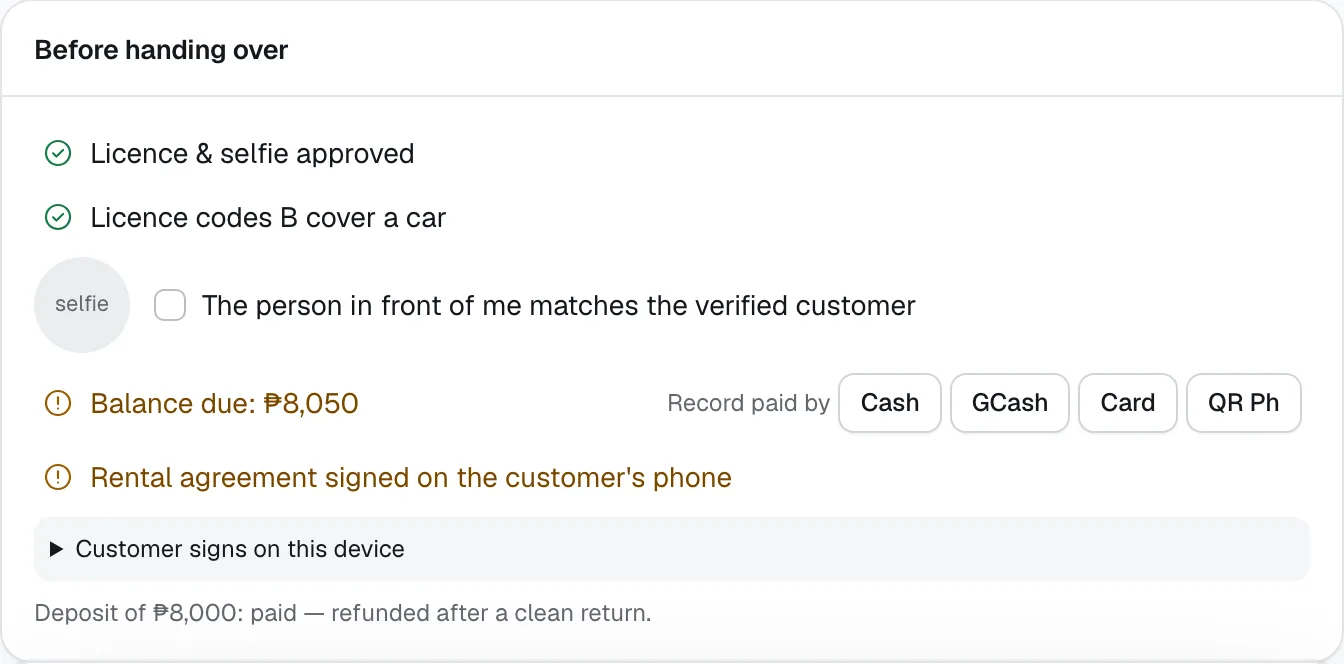
- The person in front of me matches the verified customer
- Record paid by
- Customer signs on this device
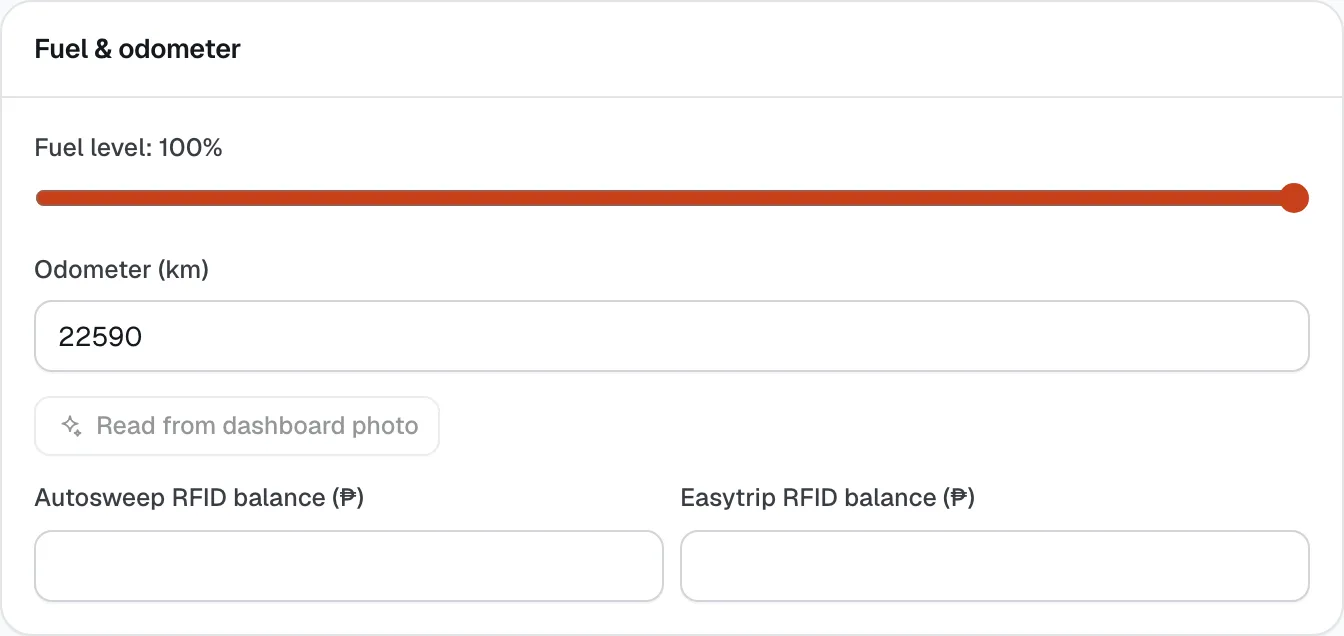
- Read from dashboard photo
- Autosweep RFID balance (₱)
Still not sure how it works?
Ask a person, in Filipino or English — Mon–Sat, 8:00–20:00 PHT.