Your booking site
Your own booking site at yourname.ceerent.com (or your own domain). Renters see your live fleet with all-in prices for their dates, book and pay without messaging you, and come back to it for everything about their trip.
- Where
- Your booking site
- Who can use it
- Renters use it. Your staff change it from the Site Builder (anyone who can edit the site) and Settings (owners and managers).
- Plans
- Every plan. A custom domain is included on Plus and ₱299 a month otherwise. 3D views use 3D credits (₱499 each).
- Checked
- Sep 25, 2026
What you can do
- Show your whole fleet with the all-in price for the renter’s dates, never a “from” price.
- Let renters pick dates, filter, sort, save favourites with Save and put up to three vehicles side by side with Compare.
- Give every vehicle its own page with photos, a 3D view if you made one, rates, reviews, the number-coding note and your rules.
- Offer road-trip guides, gift vouchers and price alerts.
- Speak your renters’ language: English, Filipino, Korean, Chinese or Japanese.
- Add your own pages (About, FAQ, packages…) in the Site Builder.
How it works
- What renters see is what you published in the Site Builder. Drafts never show. The design, sections and pages are yours to change; the booking panel, prices and rules come from your fleet and Settings → Policies, so they are always current.
- Only vehicles that are listed for booking appear. Renters can narrow the list to Free on my dates.
- If new bookings are paused (for example after your trial ends without a plan) the site stays up, but renters can’t book.
- Your site also has Rental terms and a Privacy notice page, written for you from your policies (hold time, cancellations, no-show, grace period, deposit release, damage response) and the Data Privacy Act. They update when you change a policy.
Home page
The home page is made of the sections you placed in the Site Builder. A new site starts with:
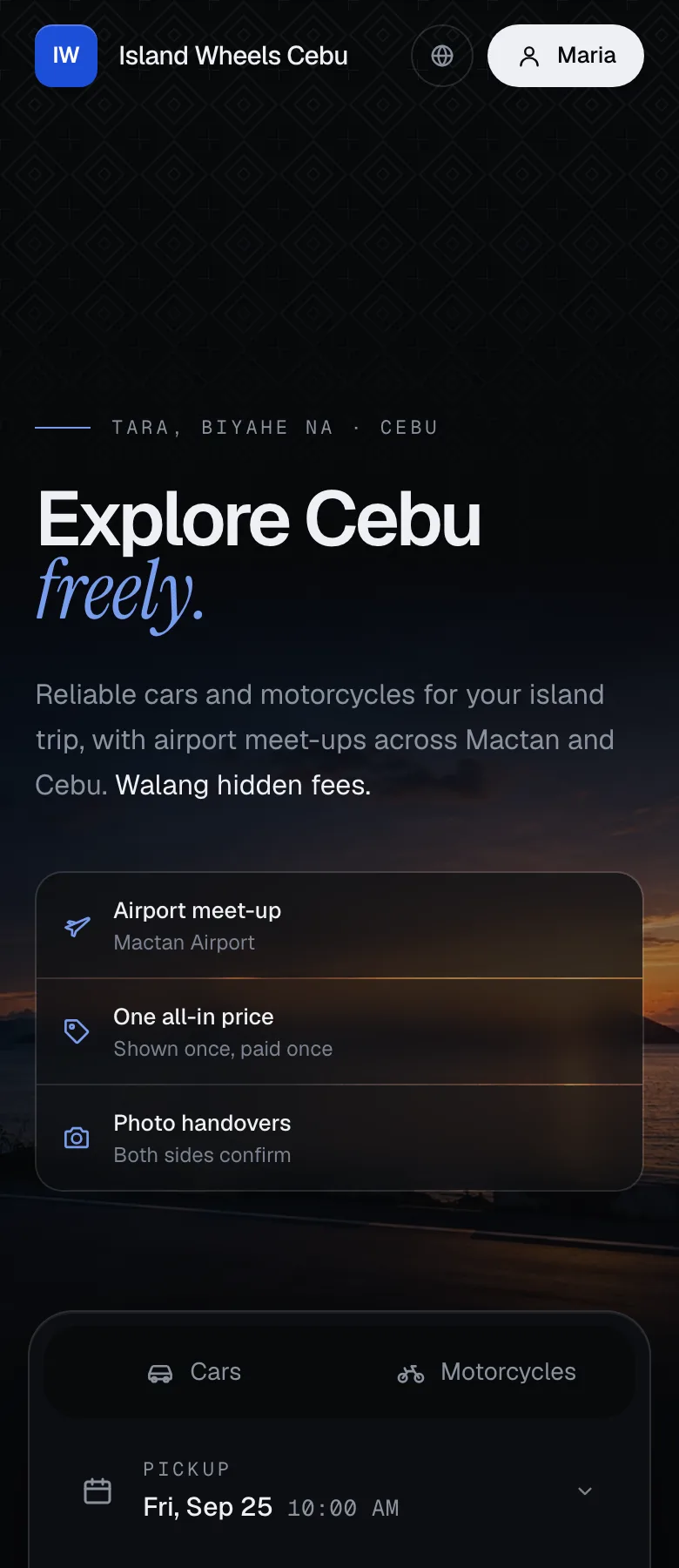
- Header: your logo, menu (Vehicles, How it works, Locations, Road trips, My trips, Contact), the language switcher and Sign in.
- Hero: your headline and photo, and a search bar for dates and cars or motorcycles.
- Fleet: live vehicles with the all-in price for the chosen dates. Renters switch between cars and motorcycles, filter (Free on my dates, 7+ seats, 3+ bags, No coding on my dates, Automatic, With driver, Electric, Pet-friendly, Saved), sort (Recommended, Lowest total, Highest rated, Newest), save favourites and tick Compare.
- How it works and Locations: your steps and your branches with maps and photos.
- Footer: contact details, pickup points, your Verified by CeeRent badge, payment methods, and links to gift vouchers, rental terms, privacy notice and your Google Maps listing.
You can add more sections: reviews (only from renters who finished a trip), FAQ, a featured vehicle, gallery, contact form (messages land in your Inbox), packages and more.
Vehicle page
Every vehicle has its own page. On the default theme, renters see:
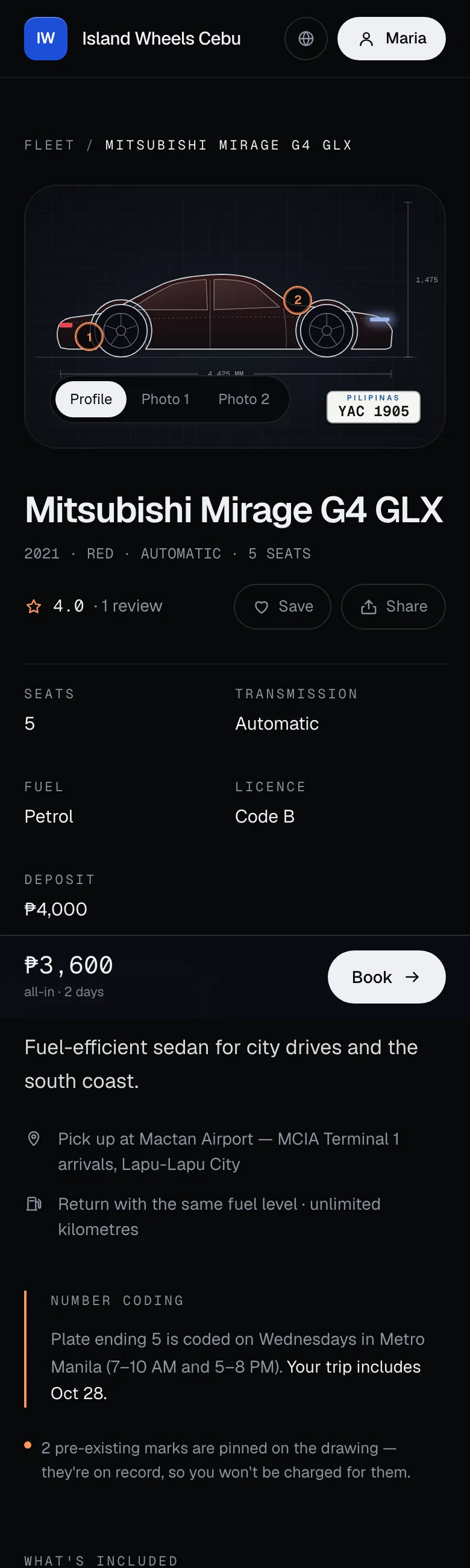
- Photos of the actual unit, a drawn side Profile, and 3D of this exact unit when you’ve published a 3D model (they drag to turn it). The plate is shown as a Philippine plate.
- Pre-existing marks: marks already on record for the unit are pinned on the profile drawing, with a note that the renter won’t be charged for them.
- Specs: seats, transmission, fuel, licence code needed (A for motorcycles, B for cars) and deposit.
- Number coding: for cars, the Metro Manila coding day for that plate (7–10 AM and 5–8 PM) and which of the renter’s days are coded. Motorcycles are shown as exempt. CeeRent uses one Metro Manila rule set on every site; it isn’t adjusted for other cities.
- What’s included: fuel rule, kilometres per day, how fast the deposit comes back (your Given back within promise, plus your recent average — left out when you take no deposit), second driver, photo handover.
- Plan a road trip: fuel, tolls and extra kilometres to popular destinations, using your fuel prices and trip destinations.
- Can I rent this?: a 20-second check for visitors and first-timers (where the licence is from, English or an International Driving Permit, days in the Philippines, age against your minimum age), with what to bring to pickup.
- Prices by start day for the next 4 weeks, marking the lowest, peak-rate and booked days. Tapping a day moves the dates.
- Your operator (renting since, trips, reply time, how often you cancel), your badge and promises, ratings and reviews from verified renters.
The booking panel is where they choose: pickup and return time; How you get it (branch, Airport meet-up with a flight number, or Deliver to my address with the fee for that distance); Return to another branch if you allow one-way; add-ons with the number left; Rate (flexible, or a cheaper pay-now rate that isn’t refundable); Deposit or your no-deposit waiver; protection level; with a driver; extra cover; booking for someone else; and a Promo or gift code. The total updates as they go, and Continue · ₱… takes them to checkout. Your cancellation terms for their exact dates are spelled out under the button.
If the dates are taken, renters see the next free dates to book instead, or can leave an email to be told if these dates free up.
Compare, road-trip guides and gift vouchers
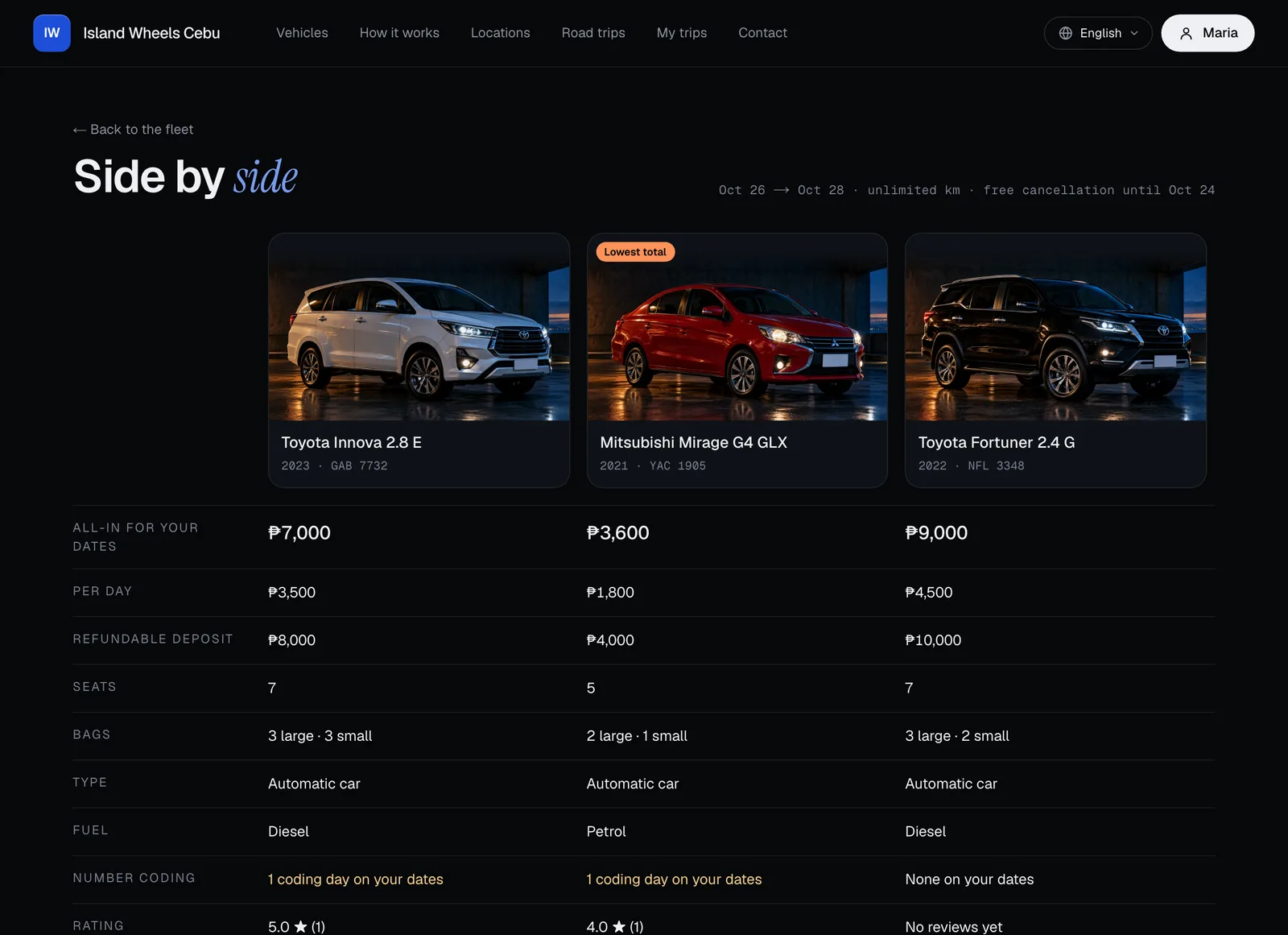
- Compare: renters tick up to three vehicles in the fleet and press Compare. They see the all-in price for their dates, the per-day rate, deposit, seats, bags, type, fuel, coding days on their dates, rating, 3D and with-driver, with the lowest total marked.
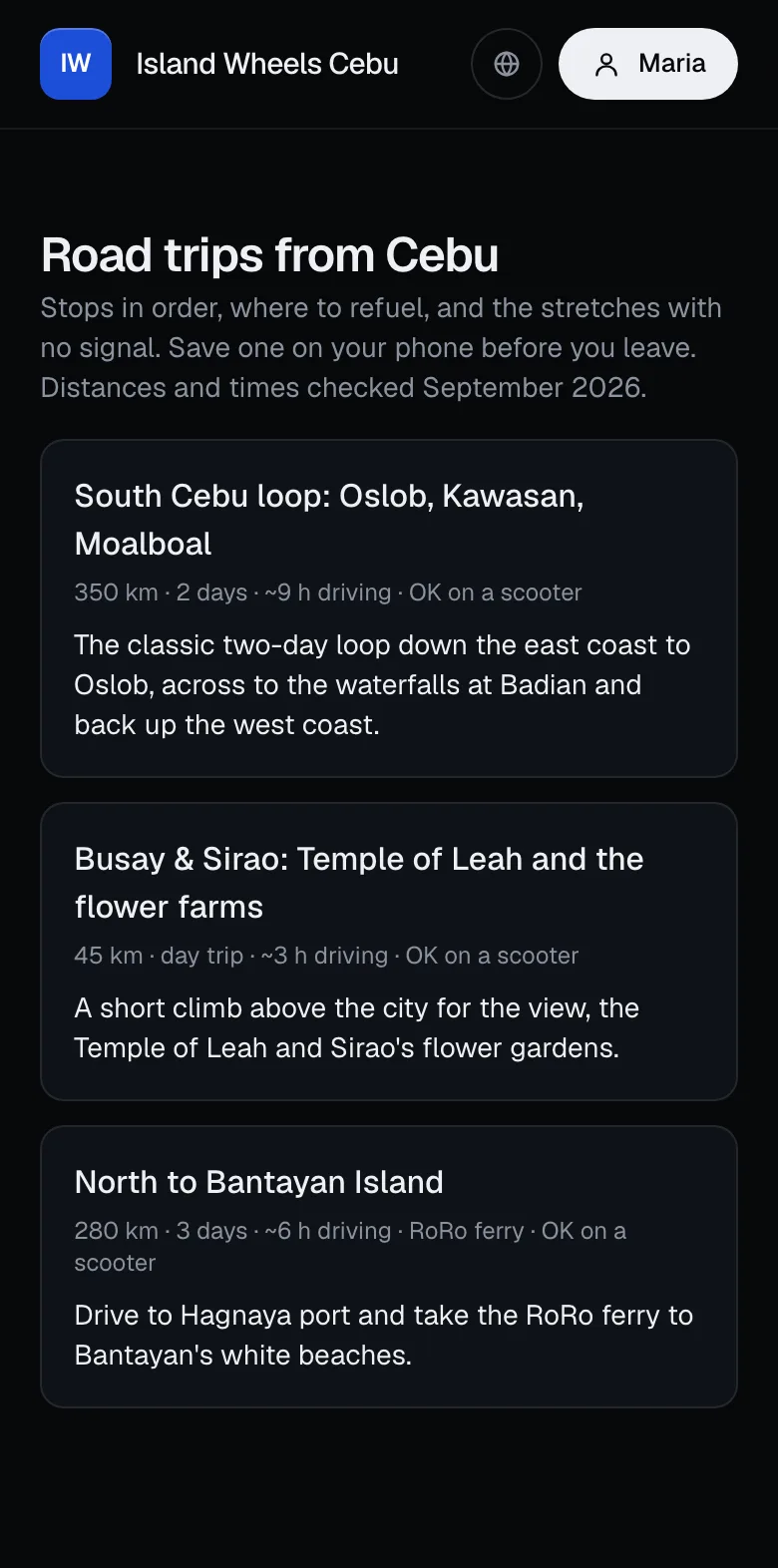
- Road trips: route guides from your city with stops in order, where to refuel and eat, ports and stretches with no signal. Renters can save a guide on their phone before leaving, and the guide warns if it doesn’t suit the vehicle they booked.
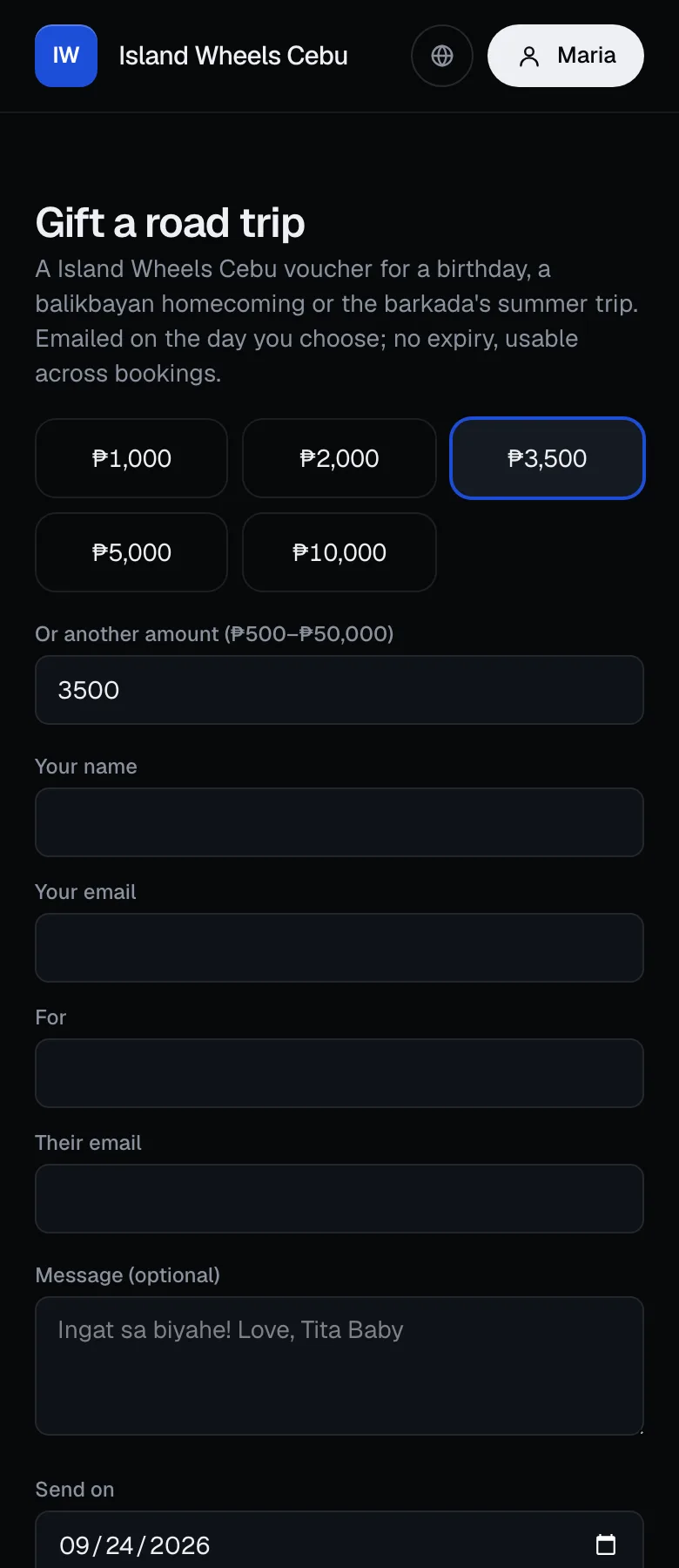
- Gift vouchers (when you tick Sell gift vouchers on your booking site in Promos & pricing): buyers pick an amount (₱500–₱50,000), write a message, choose the day it’s emailed and pay online. The voucher never expires and can be used across several bookings for the rental, fees and add-ons. The deposit is still paid separately.
Price alerts, waitlist and languages
- Watch this price: under the booking button, Not ready? Watch this price lets a renter leave their email (they may be asked to confirm it from an email first). They then get an email whenever the all-in price for those dates drops.
- Waitlist: when their dates are taken, Notify me emails them once if the vehicle frees up.
- Every alert email has a one-click stop link, and renters can see and stop their alerts in their account.
- Languages: renters pick English, Filipino, 한국어, 中文 or 日本語 from the menu (only the ones you ticked in Settings → Languages). The menu, sign-in and booking buttons change, and so does each vehicle’s description once you’ve approved its translation. The rest stays in English.
Your own pages
Pages you add in the Site Builder (for example About us
, wedding cars or airport transfers) each get their own address on your site and can go in your menu or footer. Hidden pages don’t show. See Site Builder and Website & widget for your address, custom domain and the widget for another website.
- Pre-existing mark
- Number coding

- How you get it
- Rate
- Deposit
- Continue
- Lowest total
Still not sure how it works?
Ask a person, in Filipino or English — Mon–Sat, 8:00–20:00 PHT.