Dashboard · Fleet
3D models
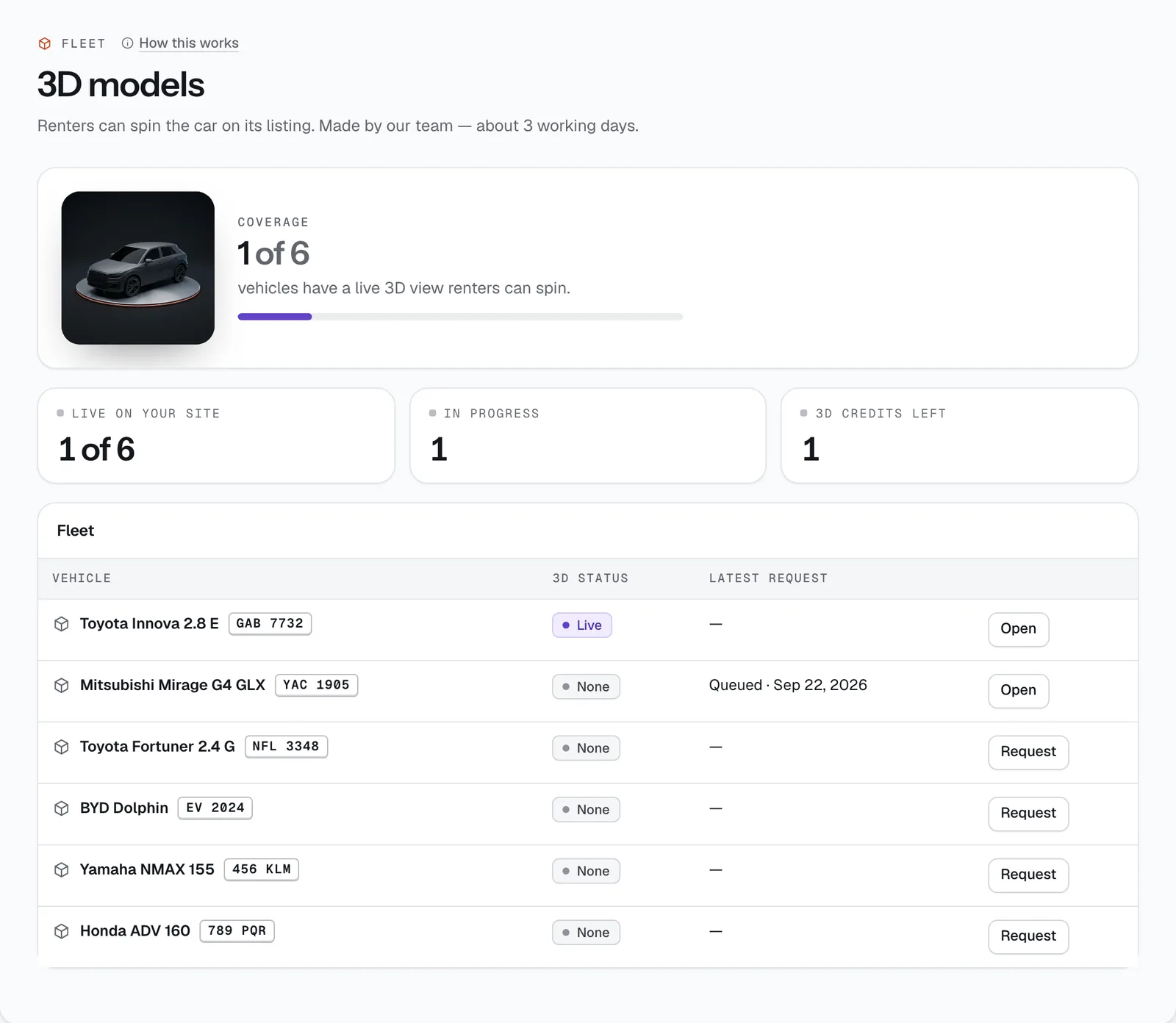
A 3D view of your actual unit that renters can spin on its listing, made from 8 photos you take. This page shows which vehicles have one, what’s in progress and how many credits you have left.
- Where
- Fleet → 3D models
- Who can use it
- Owners and managers.
- Plans
- Every plan. Each model uses one 3D credit (₱499, one-off).
- Checked
- Sep 25, 2026
What you can do
- See your Coverage: how many vehicles have a live 3D view.
- Check Live on your site, In progress and 3D credits left (with a Buy credits link when you run out).
- See every vehicle’s 3D status — Live, Draft to review, Requested or None — and its latest request.
- Start a model with Request, or Open one that’s underway. Both take you to the vehicle’s 3D model tab.
- Approve a finished draft with Approve and publish, or ask for changes once with Request revision.
How it works
- Credits. Each model uses one 3D credit, ₱499 each (one-off). Buy them in Workspace → Subscription with Buy 1 or Buy 3. Unused credits don’t expire while you’re subscribed.
- The credit is only used once your photos pass the check. If a model can’t be made, the credit is returned to you.
- A model takes about 3 working days (Monday to Friday). Each is checked by the CeeRent team before you see it.
- You get one free revision per model. After that, request a new model to try again.
- Only one request can be in progress per vehicle.
Taking the 8 photos
In the vehicle’s 3D model tab, under Request a 3D model of this exact unit, add one photo for each angle: front, rear, left, right, front-left, front-right, rear-left and rear-right. Then press Submit request.
- Shoot in even daylight, with the whole vehicle in the frame and no people in the shot.
- If an angle is missing, the request is sent back with the missing angles listed, and no credit is used.
After you submit
The tab shows the request’s status and target date. When the draft is ready you get a staff alert, and the tab shows the model under Draft — approve or ask for a revision. Spin it to check it.
- Approve and publish puts it live. The vehicle gets a 3D badge and renters can spin it on the listing.
- Not right? Type what should change (for example “the rims should be black”) and press Request revision. A revised draft is due in about 2 days.
- Request history lists every request for the vehicle, its status and whether a credit was used.
Still not sure how it works?
Ask a person, in Filipino or English — Mon–Sat, 8:00–20:00 PHT.