Dashboard · Money
Owners & payouts
For cars owned by someone else (consigned units): their share of what each car earns, a statement every month, and a record of each payout.
- Where
- Money → Owners & payouts
- Who can use it
- Owners, managers and accountants, but not in a support session. It shows under Money once you have a consigned car; before that, it’s under Show all pages in the sidebar.
- Plans
- Every plan.
- Checked
- Sep 26, 2026
What you can do
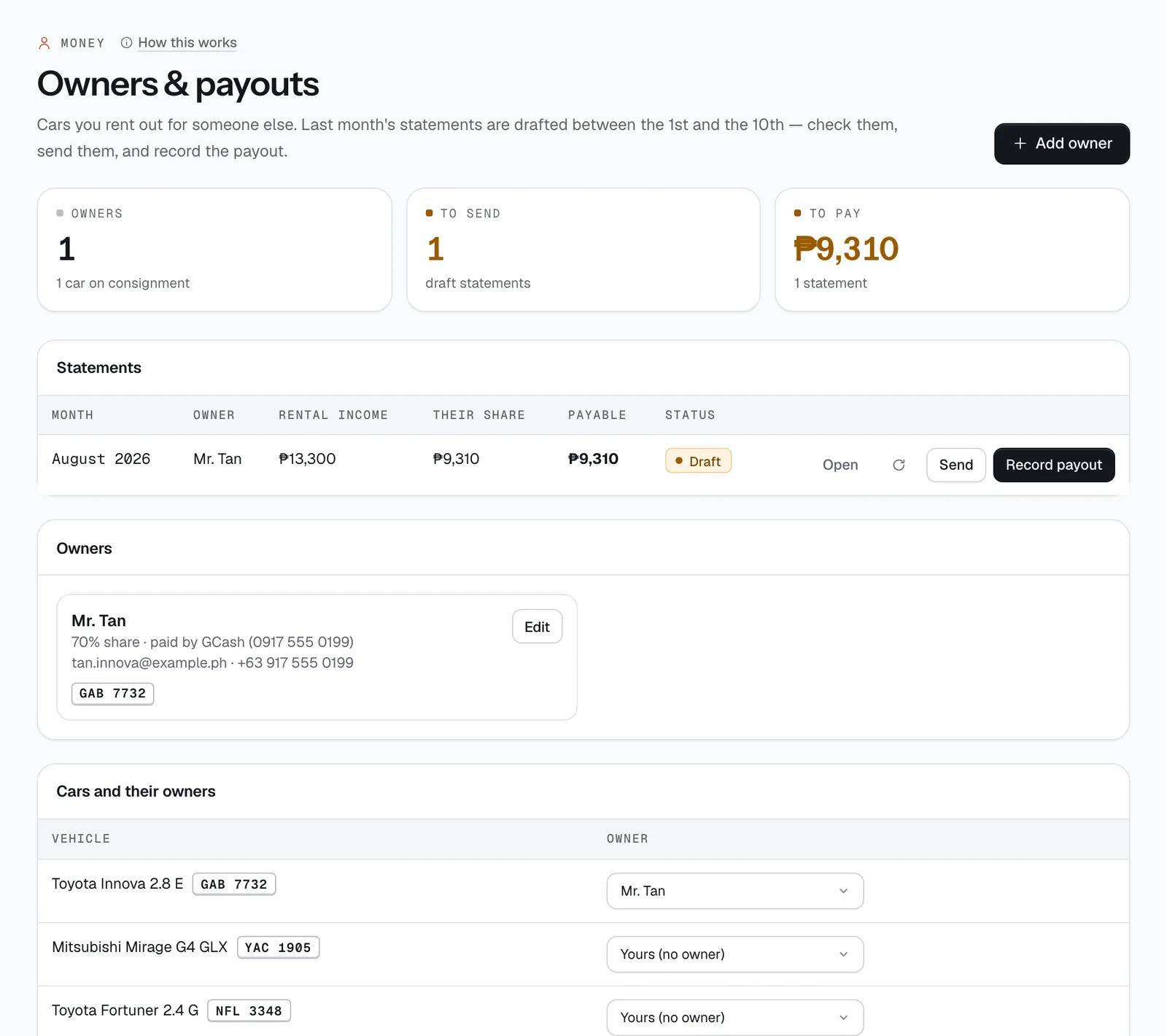
- Add an owner with their contact, Their share (%) and how they’re paid (GCash, Maya, bank or cash).
- Choose each car’s owner on the Cars tab, then Save; the Owners tab lists your owners, their share and their cars, with Edit.
- Work through the statements on the To send and To pay tabs (each shows how many are waiting), or see Paid and All. Search by owner or month, and filter by Owner or Month; the list is 25 a page, and the footer totals what the whole list says is payable. The same To send and To pay figures are in Reports → Owners.
- Check a month’s draft statement, Send it to the owner by email and SMS, and Print / PDF it.
- Record the payout with Record payout and the transfer reference once you’ve paid.
How it works
- Early each month CeeRent drafts last month’s statements and tells you they’re ready. A statement counts the rental income of the car’s trips in that month for whoever owned the car at the time, takes off repairs you logged against it, and shows what’s payable.
- Gift vouchers and deposits aren’t rental income. A payout shows in Payments & refunds as money out. Reports already count the owner’s share as a cost, so it isn’t counted twice.
- Changes to an owner’s share or payout account are kept in the audit log (the account masked).
Still not sure how it works?
Ask a person, in Filipino or English — Mon–Sat, 8:00–20:00 PHT.