Dashboard · Operate
Long-term rentals
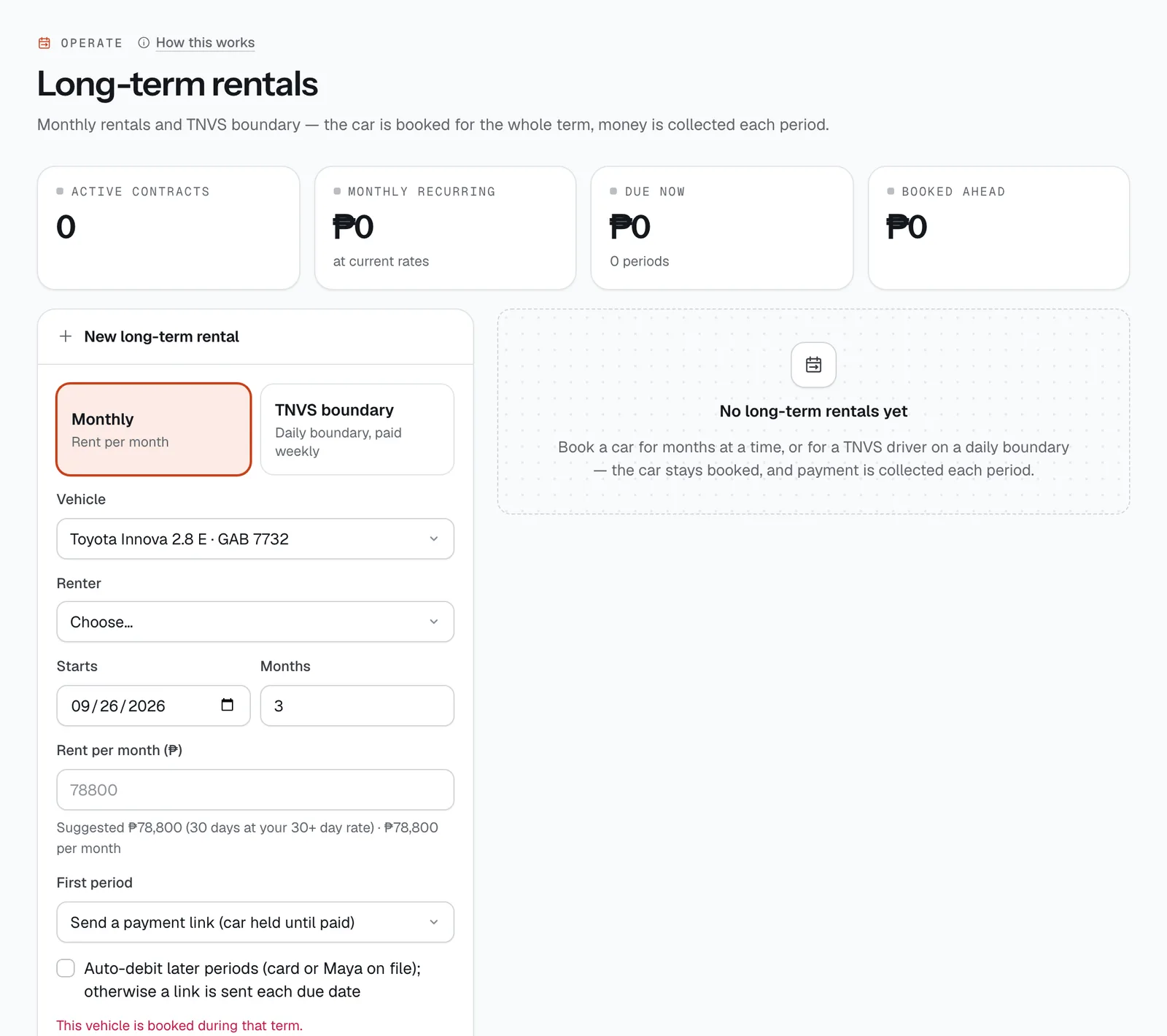
Rent a car by the month, or to a TNVS driver on a daily boundary. The car is booked for the whole term, and the money is collected one period at a time — by auto-debit or a payment link sent on each due date.
- Where
- Operate → Long-term rentals
- Who can use it
- Owners, managers and front desk.
- Plans
- Every plan.
- Checked
- Sep 25, 2026
What you can do
- Book a Monthly rental (rent per month, 1 to 24 months) or a TNVS boundary rental (a daily boundary paid weekly, 1 to 104 weeks).
- Start from the suggested rate or type your own under Rent per month (₱) or Boundary per day (₱).
- Take the first period now, or send a payment link and hold the car until it’s paid.
- Turn on Auto-debit later periods for renters who pay by card or Maya.
- Follow each contract’s schedule: record a period paid in Cash, Waive one with a reason, or send a payment link for what’s due.
- End a rental early with End early.
- Watch the totals at the top: Active contracts, Monthly recurring, Due now and Booked ahead.
How it works
- Suggested rate. Monthly: 30 days at your 30+ day rate (your daily rate less the length discount). Boundary: about 60% of the daily rate. The form shows what that comes to per month or per week, and the button shows the total for the term.
- A month is 30 days and a boundary period is 7 days. The first period is due on the start date.
- First period: choose Send a payment link (car held until paid) — the link is open for 48 hours and goes by SMS and email — or Paid now with Cash, GCash, Maya, Card, QR Ph or Bank transfer.
- Each due date: with auto-debit, the card or Maya on file is charged. Otherwise (or if the charge fails) a payment link open for 72 hours goes to the renter by SMS and email. Every paid period gets an official receipt.
- Late periods: after a 3-day grace period, a late fee of 5% of the period is added, a new link with the fee is sent, and both you and the renter are told. Rent or boundary unpaid for 3 days or more also raises the booking’s risk score.
- At pickup, only the current period has to be paid before the keys go out.
- Ending early drops the future periods and makes the car due back now. The reason you type is sent to the renter.
- You can’t book a vehicle that is taken during the term, and the TNVS form has an optional field for details like the Grab driver ID or LTFRB case number.
Still not sure how it works?
Ask a person, in Filipino or English — Mon–Sat, 8:00–20:00 PHT.