Corporate & quotes
For companies, event organisers and wedding coordinators who rent often: book on their account within a credit limit, send one invoice for everything, and email quotes that clients accept online.
- Where
- Customers → Corporate & quotes
- Who can use it
- Owners, managers and front desk can add companies, book on account and send quotes. Invoicing and Mark paid need finance access (owners and managers).
- Plans
- Every plan.
- Checked
- Sep 25, 2026
What you can do
- Add a company with New company account: name, TIN, billing contact, credit limit, payment terms, discount and authorised drivers.
- Book a vehicle on a company’s account with Book on account, with an optional PO or cost-centre number.
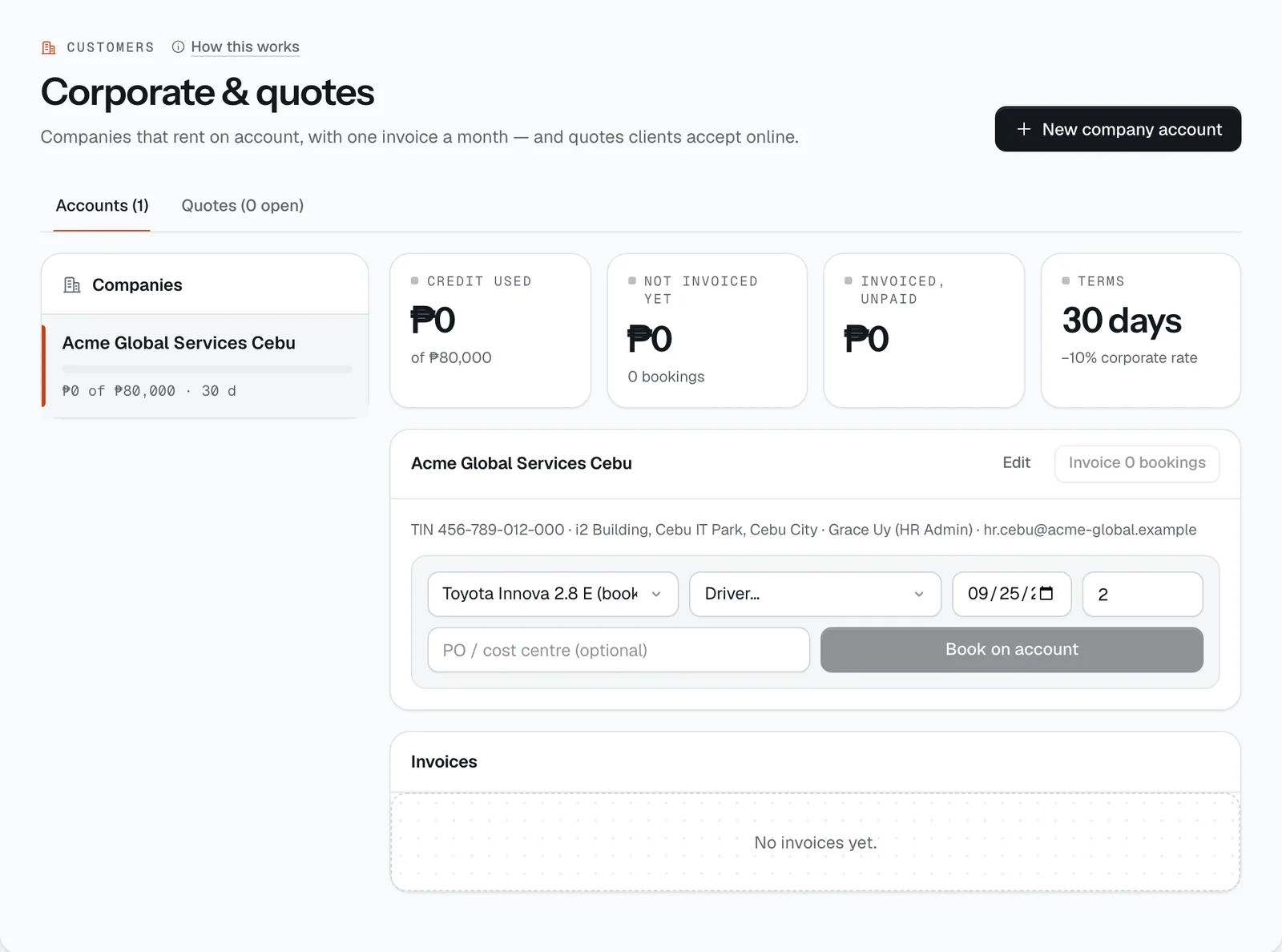
- See each company’s Credit used, Not invoiced yet, Invoiced, unpaid and Terms.
- Bill everything not yet invoiced in one go with Invoice N bookings.
- Record a bank transfer or cheque with Mark paid.
- Email a price quote with Email quote in the Quotes tab and follow it until it’s accepted.
Company accounts
The Accounts tab lists your companies on the left, each with a bar showing how much of its credit limit is used, and an on hold badge if an invoice is overdue.
When you add or Edit a company you set:
- Company name, TIN (goes on every invoice, e.g. 123-456-789-000) and Billing address.
- Billing contact, Billing email and Phone. Booking notices and invoices go to the billing email.
- Credit limit (₱) and Payment terms: 7, 15, 30, 45 or 60 days.
- Corporate discount (%), from 0 to 30%.
- Authorised drivers: pick which of your customers may drive on this account. Leave it empty to allow anyone the company names.
Booking on account. Choose the vehicle, driver, start date and number of days, add a PO or cost centre if the company uses one, and press Book on account. The booking is confirmed straight away with nothing to pay now; the company discount is added as its own line, and the billing contact gets an email. CeeRent refuses the booking if it would go over the credit limit, if the driver isn’t authorised, or if the account is on hold. The driver still needs a verified licence before pickup.
Invoices and payment
Bookings wait under On the next invoice until you bill them — usually once a month. Press Invoice N bookings and CeeRent makes one sales invoice (numbered SI-000001, SI-000002…) with a line per booking, the VAT split (12%), the company’s TIN, and a due date based on its terms. It’s emailed to the billing contact.
- The company can pay by bank transfer quoting the invoice number, or online through a payment link if your payment account is connected. A link payment marks the invoice paid by itself.
- For a transfer or cheque, press Mark paid and enter the reference (for example “BDO 00012345”). An official receipt is issued for the payment.
- Open an invoice number to see the printable invoice, with a Print button.
- If an invoice passes its due date, it turns Overdue, the company goes on hold (no new bookings on account), you get a staff alert and the company gets a reminder email. Paying the overdue invoice lifts the hold.
Quotes
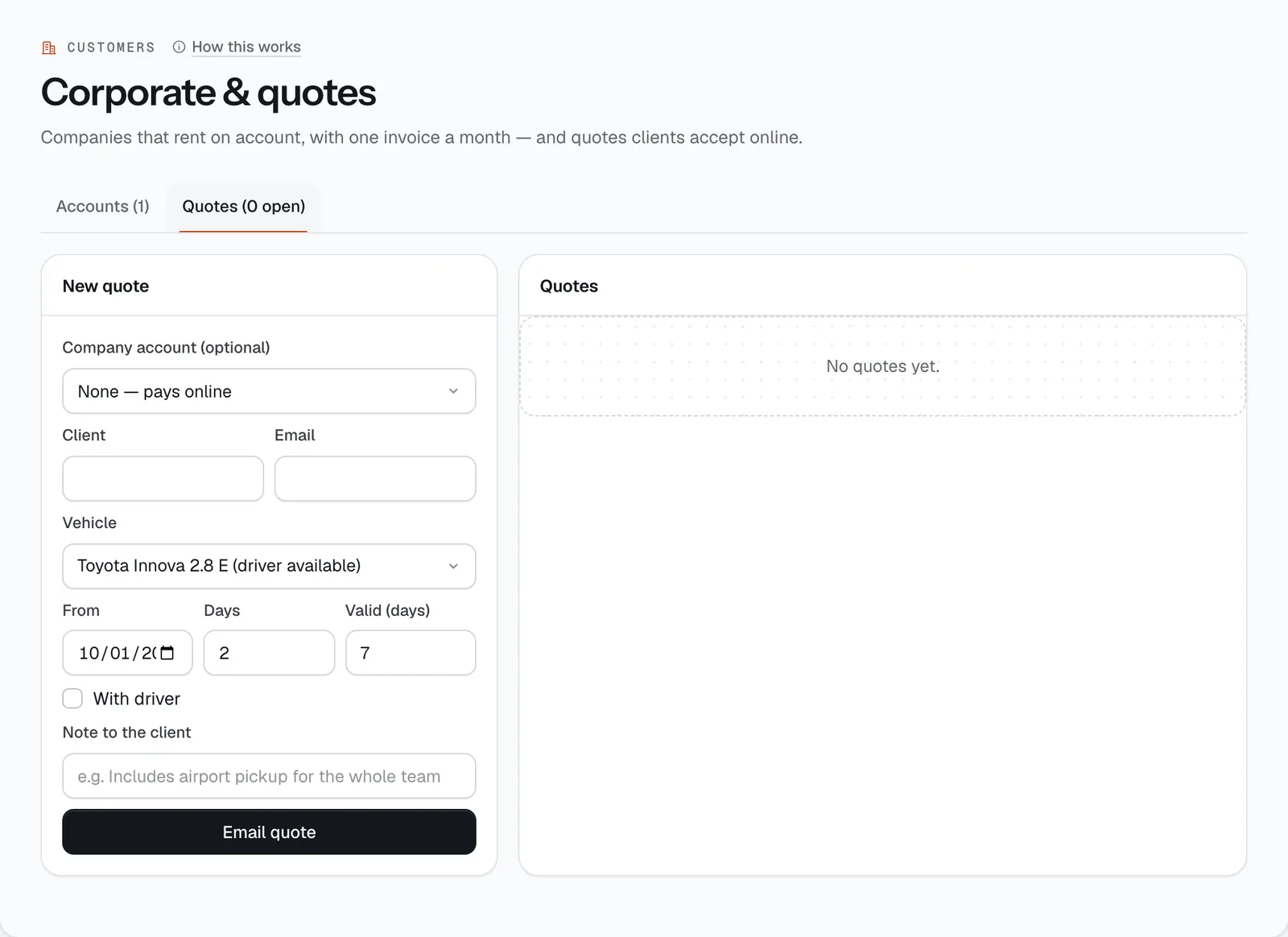
In the Quotes tab, fill in New quote: a Company account (optional) or None — pays online, the Client and Email, Vehicle, From, Days, Valid (days) (up to 30), With driver if needed, and a Note to the client. Press Email quote.
- The price is worked out from your rates for branch pickup, with the company discount if you picked an account. The client gets an email with a link to view and accept it.
- To accept, the client names the driver. A quote for a company account is booked on that account. Any other quote becomes a booking held for payment, and the client is emailed a payment link valid for 24 hours.
- The quoted price stands even if your rates change before they accept.
- You get a staff alert when a quote is accepted. The list shows each quote as Sent, Accepted (with a link to the booking) or Expired once its valid days run out.
- Email quote
Still not sure how it works?
Ask a person, in Filipino or English — Mon–Sat, 8:00–20:00 PHT.